
 31 QC photos
Diesel
Diesel Belt

VigorBuy spreadsheet categories: every find in one place, by section and brand.
31 QC photos
Diesel
Diesel Belt
 22 QC photos
Alexander McQueen
Alexander McQueen Shoes
 8 QC photos
Louis Vuitton
Louis Vuitton Jacket
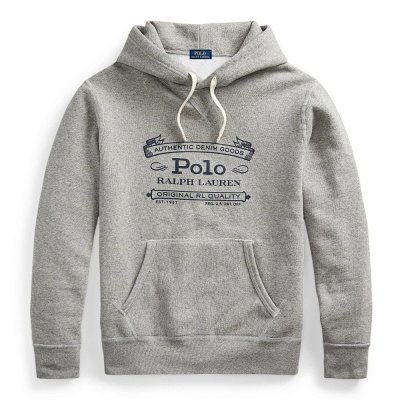 4 QC photos
Ralph Lauren
Ralph Lauren Hoodies
 17 QC photos
Broken Planet
Broken Planet Jersey
 4 QC photos
Syna
Syna World Pants
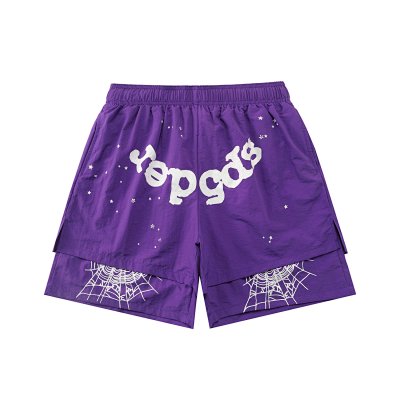 8 QC photos
Sp5der
Sp5der Shorts
 14 QC photos
NY cap
 16 QC photos
Nike
Nike Slippers
 4 QC photos
Nike
Nike x Nocta Puffer (Yellow)
 4 QC photos
Ami Paris
Ami Hoodie
 12 QC photos
Derschutze
Derschutze "blossom" waffle Longsleeve white
 4 QC photos
Thug Club Denim Jeans
 4 QC photos
Amiri
Amiri shorts
 26 QC photos
PSD boxers
 34 QC photos
Bape
Bape Sta
 4 QC photos
Ralph Lauren
Ralph Lauren Vest
 8 QC photos
Corteiz
Corteiz Hoodie
 28 QC photos
Gallery Dept
Gallery Dept Tee
 4 QC photos
Nike
Nike Pants
 4 QC photos
Eric Emanuel
Eric Emanuel Shorts
 16 QC photos
Louis Vuitton
Louis Vuitton Belts
 16 QC photos
Dior
Dior B25
 2 QC photos
Arcteryx
Arcteryx Backpack
 4 QC photos
Broken Planet
Broken Planet Alone but not lonely Hoodie
 32 QC photos
Goodspeed Tee
 4 QC photos
Studio One
Studio one Pants
 8 QC photos
Bape
Bape Shorts
 36 QC photos
Ralph Lauren
Ralph Lauren Boxers
 16 QC photos
Louis Vuitton
Louis Vuitton Skate
 2 QC photos
Moncler
Box For Moncler Jackets
 4 QC photos
Corteiz
Corteiz Hoodie
 24 QC photos
Stussy
Stussy Tee
 5 QC photos
Acne Studios
Acne Studios Flared Jeans
 16 QC photos
Arcteryx
Arcteryx Hat
 32 QC photos
Rick Owens
Rick Owens Ramones Low
 4 QC photos
North Face
The North Face Jacket
 4 QC photos
Strawberry Mansion Hoodie
 17 QC photos
Essentials
Essentials Tee
 4 QC photos
Dershutze flower pattern denim jeans
| Category | Finds | Median | Typical range | With QC photos |
|---|---|---|---|---|
| Shoes spreadsheet | 1,570 | $58 | $35–$86 | 356 |
| Jackets spreadsheet | 1,047 | $48 | $17–$102 | 106 |
| Hoodies spreadsheet | 935 | $24 | $18–$50 | 169 |
| Sweaters spreadsheet | 202 | $36 | $22–$62 | 39 |
| Shirts spreadsheet | 2,985 | $16 | $11–$27 | 373 |
| Pants spreadsheet | 735 | $30 | $19–$59 | 140 |
| Shorts spreadsheet | 498 | $18 | $9–$31 | 79 |
| Sets spreadsheet | 351 | $26 | $16–$59 | 53 |
| Accessories spreadsheet | 900 | $17 | $6–$80 | 322 |
| Electronics spreadsheet | 33 | $67 | $6–$191 | 6 |
| Home & Decor spreadsheet | 128 | $22 | $6–$64 | 26 |
Seller prices in USD. The typical range is where 8 in 10 of a category's listings fall.

Amiri
Amiri MA-1
 50 QC photos
Golden Goose
Golden Goose Superstar
 14 QC photos
Jordan
Jordan 1 High Black White

Jordan
Jordan Shorts

Nike
Nike Slides

Patagonia
Patagonia Retro Fleece
 4 QC photos
Rick Owens
Rick Owens Gimp Hoodie
 34 QC photos
Rolex
Rolex Oyster Perpetual Silver Black
 83 QC photos
Supreme
Supreme Boxers
 124 QC photos
North Face
The North Face Puffer

New to VigorBuy?
New VigorBuy users get up to ¥1,500 (about $210) in coupons.
Every find on this spreadsheet opens straight on VigorBuy, so an account is the only thing standing between a find and an order. Creating one through this site's link is free, and it is how the spreadsheet and the QC finder stay free for everyone.
Free to join · independent site, not run by VigorBuy · new-user offer as VigorBuy advertises it; its coupons carry minimum spends and expiry dates
The VigorBuy spreadsheet holds 9,384 finds across 11 categories and 105 brands. Every listing shows the seller's price and links straight to the same item on VigorBuy, so you go from browsing to ordering in one click.
Finds with QC photos on record are listed first in every category. For the rest, each find's page checks the public QC databases for its exact listing, or paste any link into the VigorBuy QC finder yourself.
Finds with QC photos on record come first in every category, so the ones you can check before buying are the first you see.
The one you can check before you pay. Look for three things: every find links to its exact listing on VigorBuy, you can see the seller's photos, and you can see what other buyers actually received (QC photos). This one has 9,384 finds in 11 categories and 105 brands, 1,669 of them with QC photos on record.
No, it is a website instead. A Google Sheet of 9,384 rows is slow on a phone and shows no photos; here every find has its photos, you can search by brand or item, and each one opens straight on VigorBuy.
Because no buyer's warehouse photos of that exact listing are in the public QC databases yet. Each find's page checks again when you open it, and you can paste any link into the VigorBuy QC finder here.
Open a find and press Buy on VigorBuy. It opens that listing on vigorbuy.com, where you choose the size and colour and pay; VigorBuy buys it from the seller and photographs it at its warehouse.


